Mutual consentVerified participationSecure records
Consent Should Be Clear.
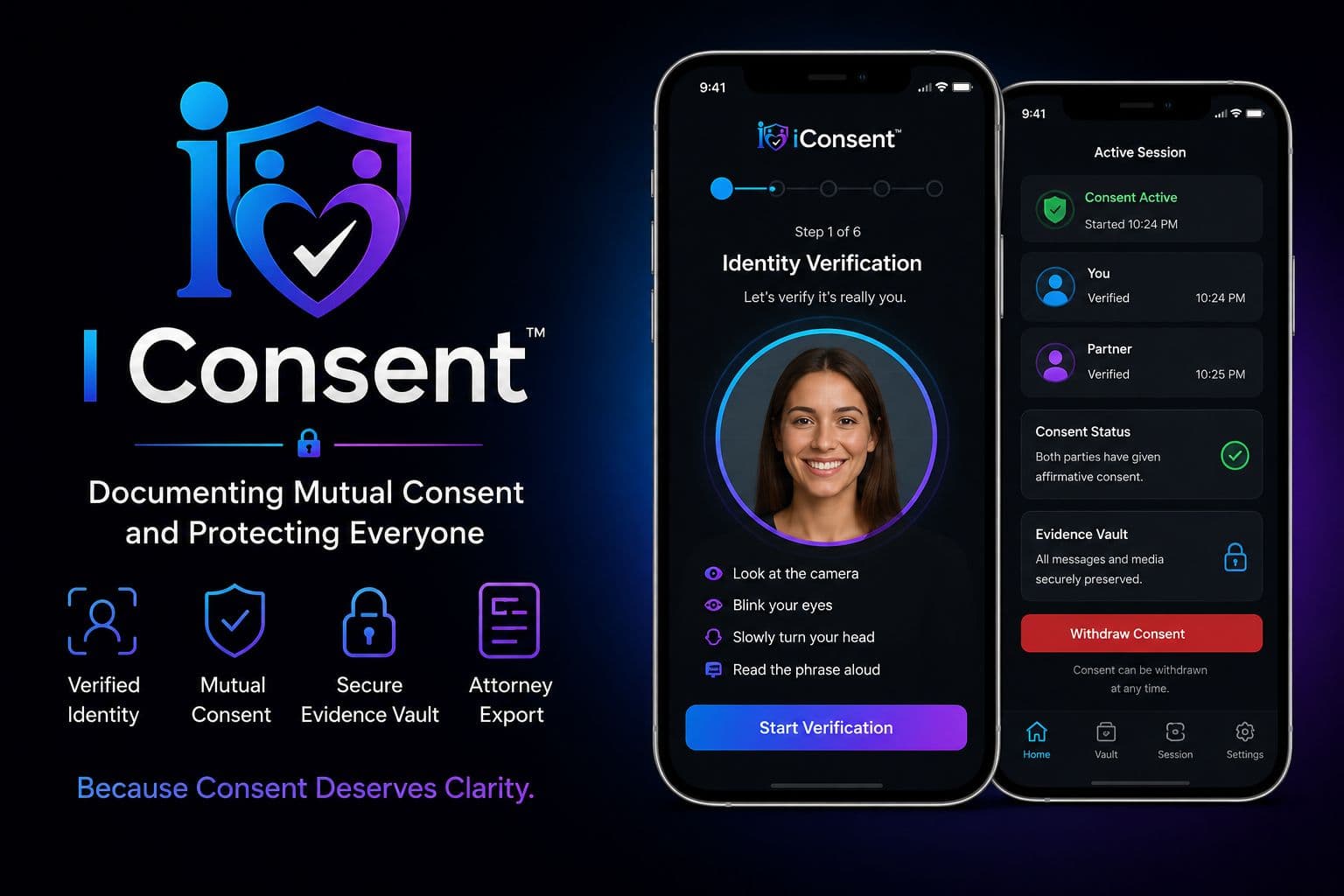
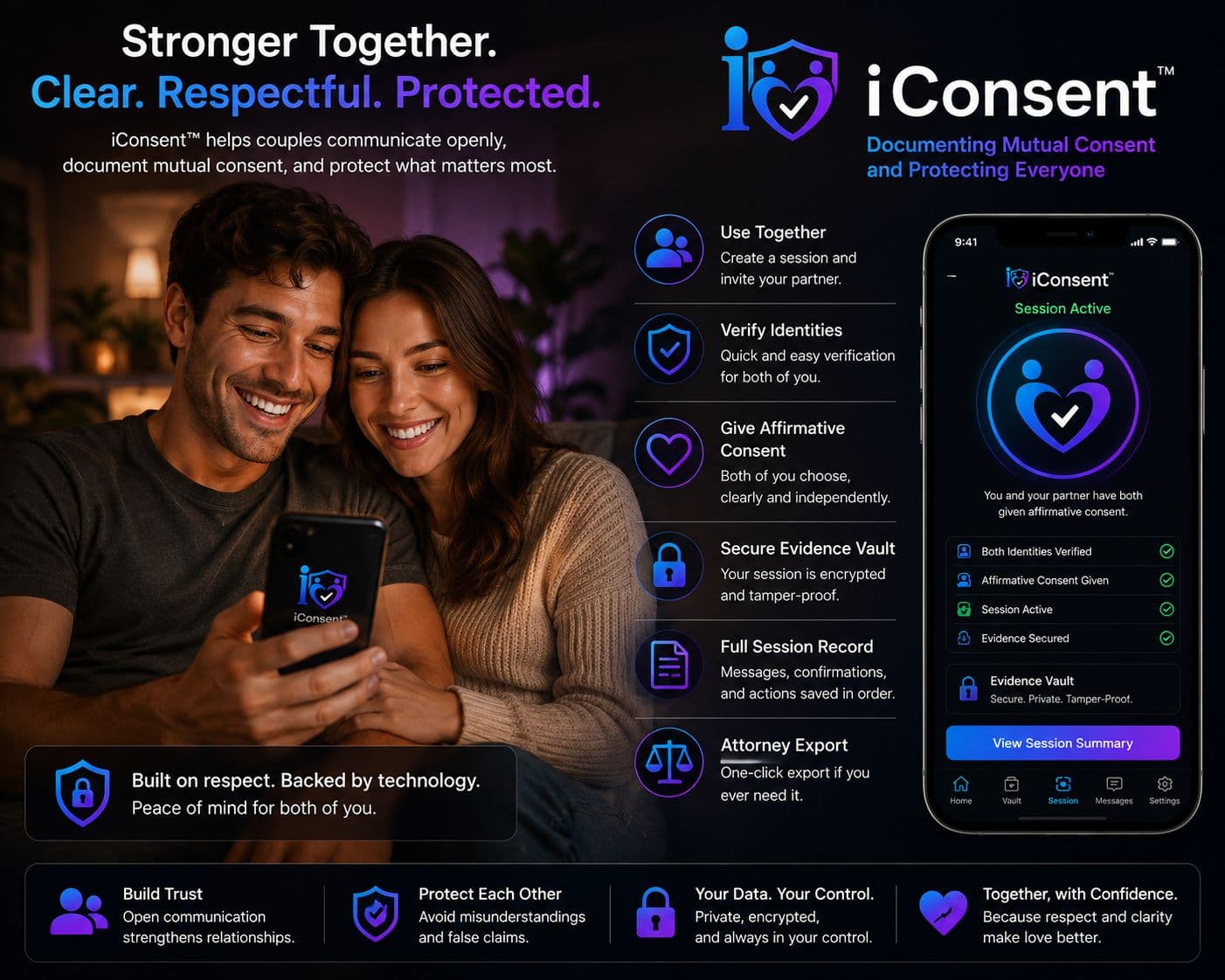
iConsent™ helps two people document an affirmative consent conversation through active identity and liveness checks, clear acknowledgments, secure timestamps, and a protected evidence record.
Consent is ongoing. It can be withdrawn at any time. iConsent documents a moment in time — it does not authorize future conduct.
§ 01What iConsent is
A documentation platform. Not a contract, and not a guarantee.
iConsent is a mutual-consent documentation and evidence-preservation platform. It is not a contract for sex, not a guarantee of legality, and not a mechanism that makes future conduct automatically consensual.
The central product promise is documentation. iConsent creates a contemporaneous record of who participated in a consent session, whether each participant actively completed identity, liveness and acknowledgment steps, what was affirmatively acknowledged at that time, and what related evidence was preserved.
iConsent does not replace communication. It documents it.
- Both people, independently
- Each participant verifies and affirms on their own device. Neither can complete the other's steps.
- A record, not a verdict
- The system records what happened in the flow — including a non-response, recorded as a non-response.
§ 02The problem
Memory can be disputed. Messages can disappear. Context can be lost.
When two people remember an intimate encounter differently, there may be little contemporaneous documentation showing what was communicated beforehand. iConsent is designed to create a neutral, time-stamped record of a mutual consent process while preserving relevant digital context when users choose to do so.
The goal is not to replace judgment, communication, or the law. The goal is to make the consent conversation clearer and preserve a reliable record of what each participant actually completed and acknowledged.
.jpeg&w=3840&q=75)
What a completed session is — and is not
A completed iConsent session is evidence of the recorded process at that time. It does not mean consent cannot later be withdrawn, and it does not make later conduct automatically consensual.
- It records what each participant completed and acknowledged, with timestamps.
- It does not establish sobriety, legal capacity, or a state of mind.
- It does not override what either person says or does afterwards.
- It is not a legal determination, and it is not legal advice.
§ 03The process
Seven steps, completed separately by two people.
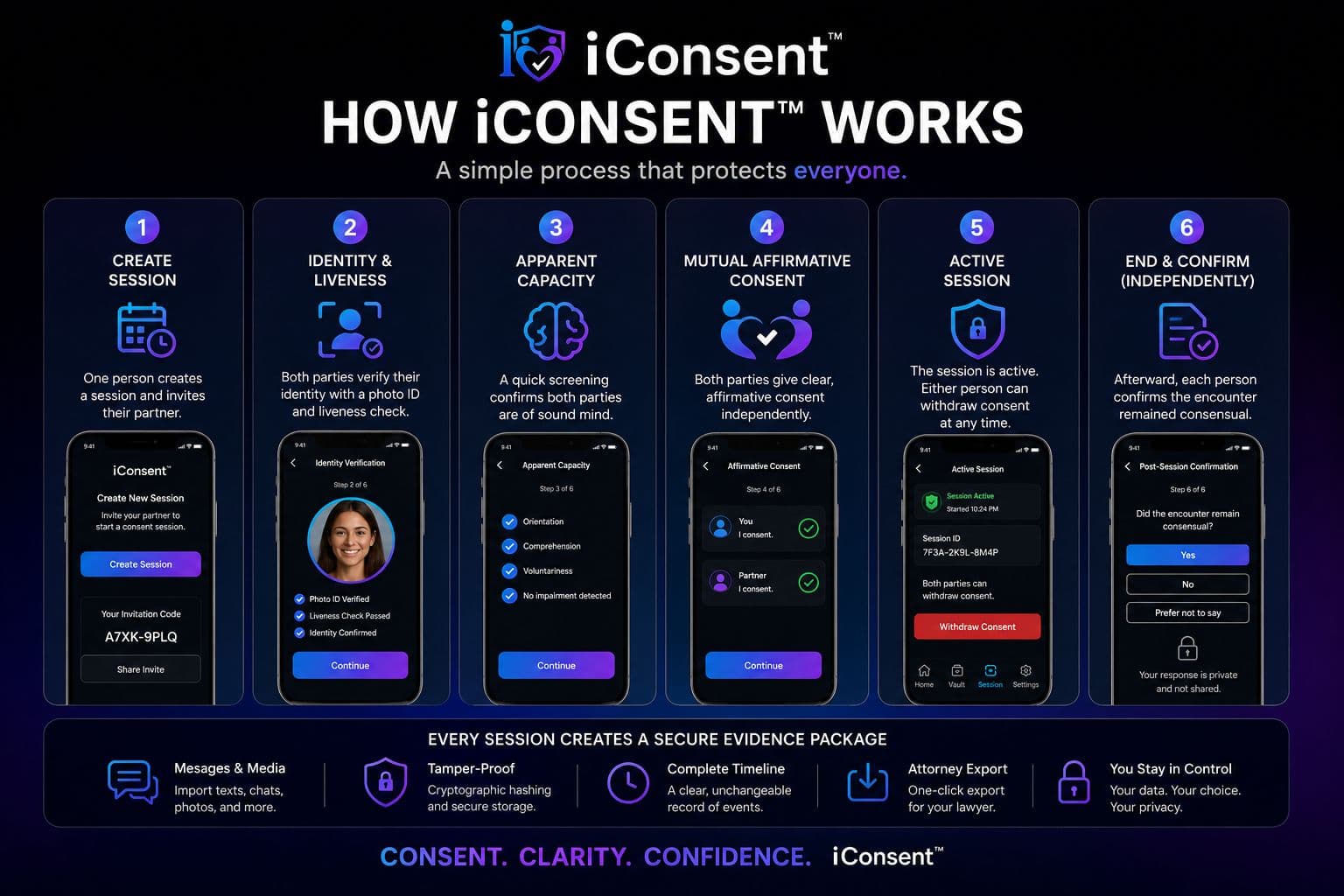
iConsent is designed around active participation. A checkbox by itself is weak. A fingerprint by itself can be passive. A message can be taken out of context. iConsent combines multiple signals into one documented workflow, and a session cannot advance unless both people complete their own steps.
A session that is withdrawn, blocked, aborted or expired can never be returned to active. Starting again means starting a new session, so the historical record is never rewritten.
Consent is ongoing. It can be withdrawn at any time. iConsent documents a moment in time — it does not authorize future conduct.
Create or open a consent session
One participant starts a new session and securely invites the other participant. Each person should use their own device whenever possible.
Verify the participants
Each participant completes account authentication and an active face/liveness challenge. Randomized prompts can require head movement, blinking, spoken words, or another live response, so a photograph, prerecorded video, sleeping person, or passive fingerprint cannot complete the flow.
Apparent-capacity screening
The app asks each participant to complete short randomized orientation and comprehension prompts and self-attest that they understand the situation and are participating voluntarily. This is a screening record — not a medical sobriety test and not a guarantee of legal capacity.
Review exactly what consent means
Both participants see concise disclosures: consent must be voluntary; silence is not consent; consent to one activity does not automatically mean consent to another; and consent can be withdrawn at any time.
Affirm independently
Each participant separately records an affirmative acknowledgment. The system records the version of the disclosure, timestamps, session identifier, verification results, and cryptographic integrity data.
Preserve context
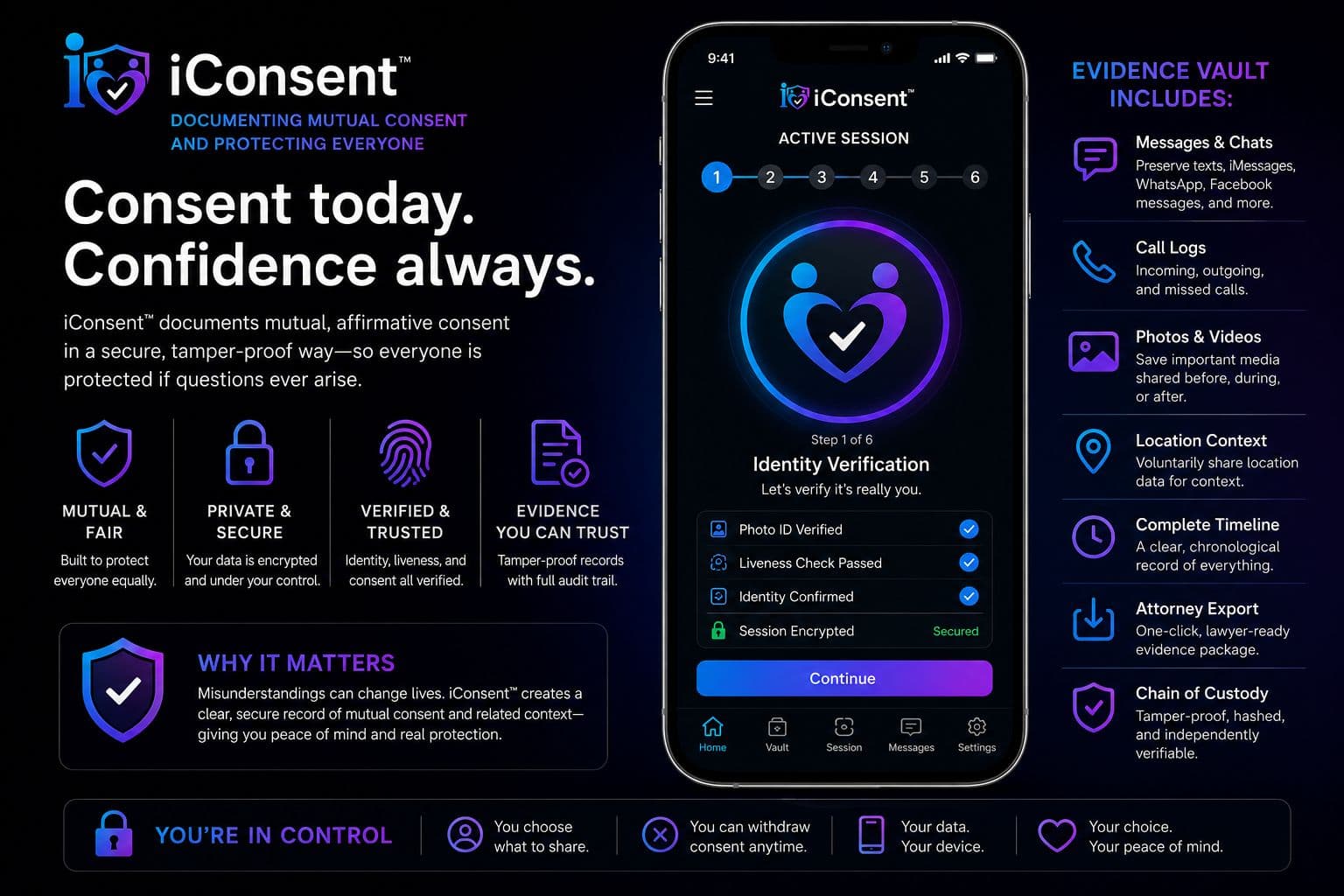
Users can preserve relevant messages, screenshots, exported conversations, call logs, photos, or other files. The Evidence Vault records source information, timestamps, cryptographic hashes, and subsequent access and export events.
Close and preserve the session
Afterward, participants may independently provide a post-session statement. A non-response is recorded as a non-response — not as consent. The completed record remains protected according to the selected retention policy.
§ 04Capabilities
Built so the record can be trusted by everyone in it.
Every capability below exists to serve one goal: an accurate, verifiable account of what actually happened in the consent process, protecting the integrity of the record for both participants equally.
Active liveness verification
Designed to require a conscious, responsive participant rather than relying solely on a passive biometric.
Mutual, independent affirmation
Each participant completes the process independently. One person cannot accept for the other.
Clear consent language
Plain-language screens explain voluntariness, specificity, withdrawal, and incapacity. Yes and No carry equal visual weight, and nothing is preselected.
Evidence Vault
Preserves user-submitted contextual evidence with integrity metadata and access history, labelled by source and completeness.
Tamper-evident records
Cryptographic hashes and append-only event logging are designed to make later alteration detectable.
Attorney Export
Creates an organized evidence package with session timeline, verification record, evidence manifest, hashes, and chain-of-custody history.
Privacy by design
Sensitive content is minimized, encrypted, permission-controlled, and never publicly searchable.
No scores, no histories
There are no ratings, streaks, badges or public consent histories, and a person's records are never exposed to dates, employers, schools, insurers, advertisers or data brokers.
§ 05The record
Preserve the context, not just the consent screen.
Conversations before and after an encounter may provide important context. iConsent lets users preserve relevant digital material in a protected Evidence Vault — text message exports, dating-app conversations, social-platform messages, screenshots, call logs, photographs, videos, and other user-provided records.
When evidence is added, iConsent preserves the original file where technically possible, calculates a cryptographic hash, records the ingestion time and declared source, and maintains an access and export history. The vault distinguishes an original native file from a user-submitted screenshot, a partial conversation, and a derived copy, so the record never implies a completeness it cannot verify.
Attorney Export
If a dispute, investigation, civil claim or allegation arises, an authorized user can generate a structured export for counsel: a case summary, a chronological event timeline, verification and liveness results, the exact disclosure version presented, acknowledgment and withdrawal timestamps, an evidence manifest with hashes, chain-of-custody history, a machine-readable manifest for independent verification, and a plain statement of what the record does not establish.
Attorney access requires explicit user authorization, strong authentication, scoped permissions, expiration controls, and an immutable record of what was shared and when.
§ 06Safety & guardrails
What this product will never claim to do.
Affirmative consent is voluntary, informed, freely and actively given, and revocable at any time. A person who is substantially impaired, asleep, or unconscious cannot consent. These principles govern how iConsent is built and how it is described, and the application defers to applicable law in each jurisdiction.
- 01A prior iConsent record is not permission for future sexual activity.
- 02Consent to one activity does not automatically establish consent to another.
- 03Consent can be withdrawn through words or actions at any time.
- 04If a participant appears incapacitated, unconscious, asleep, coerced, confused, or unable to communicate, do not proceed regardless of what the app previously recorded.
- 05A post-session confirmation cannot retroactively create consent that did not exist.
- 06No participant should be pressured to use iConsent or pressured to select a particular response.
- 07The application is a documentation tool, not a substitute for legal advice, medical assessment, law enforcement, emergency services, or direct communication.
iConsent will never tell you that a person is sober, that consent is settled, or that a record makes anything that follows acceptable. It documents active responsiveness and apparent comprehension at a point in time — nothing more, and it is deliberately built not to overstate that.
§ 07Questions
Straight answers, including the ones that limit us.
Does iConsent prove that an entire encounter was consensual?
No. iConsent documents the consent process and other events recorded through the system. Consent is ongoing and can be withdrawn after a session begins.
Does completing iConsent mean someone cannot change their mind?
No. Either person can change their mind at any time. Sexual activity should stop when consent is withdrawn or when there is uncertainty about consent.
Can iConsent prove someone is sober?
No. iConsent can document active liveness, responsiveness, comprehension prompts, and self-attestations. It is not a breathalyzer, toxicology test, medical evaluation, or legal determination of capacity.
Why not just use a fingerprint?
A fingerprint can authenticate a device or account but does not necessarily demonstrate that a person is awake, responsive, comprehending the situation, or acting voluntarily. iConsent is designed around active liveness and independent responses.
What happens if someone is asleep or unconscious?
The session should not proceed. A person who is asleep or unconscious cannot actively complete the required liveness and acknowledgment process, and prior consent does not authorize later activity.
Is iConsent legal advice?
No. iConsent is a technology and documentation platform. Laws differ by jurisdiction and users should obtain qualified legal advice when needed.
§ 08Waitlist & enquiries
Get iConsent when it launches.
iConsent is in development. Join the waitlist for launch notification, or get in touch if you are an attorney, a member of the press, or a potential institutional partner.
Phone
Direct line
207-947-1999General and media enquiries. iConsent is not an emergency service — in an emergency, call 911.
Mailing address
PO Box 52Detroit, ME 04929Correspondence only. Please do not mail sensitive materials.